Text Input
Description
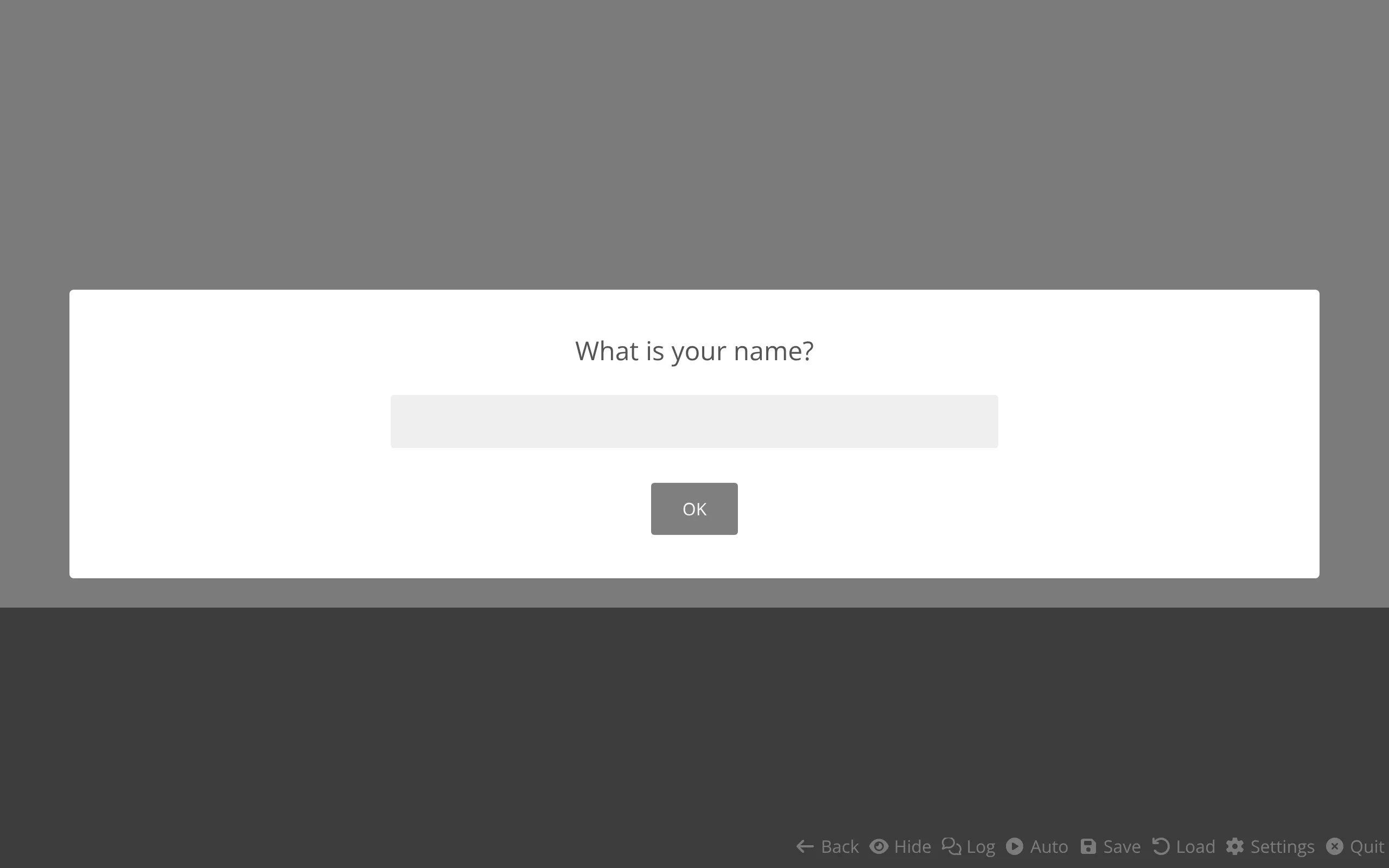
<text-input></text-input>The text-input component is the modal dialog that asks the player for information: their name, a password, a selection from a list, and so on. It is created automatically by the Input action, which passes it the text to show, the input type, validation and save callbacks, and other options. You normally never write <text-input> yourself; you configure it through the Input action.
Source Code: https://github.com/Monogatari/Monogatari/tree/develop/src/components/text-input
Supported Input Types
The type prop selects which form control is rendered. The following types are supported:
| Category | Types |
|---|---|
| Text fields | text, password, email, url, number, color, file, date, datetime-local, month, time, week, tel, range |
| Multi-line | textarea |
| Single choice | select, radio |
| Multiple choice | checkbox |
A single-line field is rendered as an <input> of the matching native type. textarea renders a <textarea>. select renders a dropdown built from options. radio and checkbox render one labelled control per entry in options.
NOTE
For checkbox, the submitted value is an array of the checked values. Every other type submits a single string (an empty string when nothing was entered or selected).
Structure
The component renders a form inside a modal. The shape of the input region depends on the type:
<text-input class="modal modal--active" data-component="text-input">
    <form class="modal__content">
        <p data-content="message">What is your name?</p>

        <!-- Single-line field (text, password, number, …) -->
        <input data-content="field" name="field" type="text" tabindex="0">

        <small data-content="warning" class="block"></small>
        <div>
            <button type="submit" tabindex="0">OK</button>
        </div>
    </form>
</text-input>
For select, the field becomes a <select data-content="field"> containing one <option> per entry. For radio and checkbox, each option is rendered as:
<div class="input-pair">
    <input data-content="field" id="field_0" name="field" type="radio" value="pink" tabindex="0">
    <label for="field_0">Pink</label>
</div>
Data Content Keys
| Key | Element | Description |
|---|---|---|
message |
<p> |
The prompt text shown to the player (from the text prop). |
field |
input / textarea / select | The control(s) the player interacts with. |
warning |
<small> |
Where the validation warning is shown when input is invalid. |
State
| Property | Type | Default | Description |
|---|---|---|---|
active |
boolean |
true |
Whether the modal is active. When set to true, the modal--active class is toggled. |
Props
The Input action sets these props for you. The names below are the component’s prop names, with the matching Input action property noted.
| Prop | Type | Default | Input Action Property | Description |
|---|---|---|---|---|
text |
string |
'' |
Text |
The prompt shown to the player. |
type |
string |
'text' |
Type |
One of the supported input types. |
default |
string | number | null |
null |
Default |
Pre-filled value. For text fields it fills the field; for select/radio/checkbox it matches an option’s value. |
options |
array |
[] |
Options |
Choices for select, radio, and checkbox. Each entry has label and value. |
warning |
string |
'' |
Warning |
Message shown when validation fails. |
actionString |
string |
'OK' |
actionString |
Translation key for the submit button label. |
onSubmit |
function |
no-op | Save |
Receives the value once it passes validation. |
validate |
function |
returns true |
Validation |
Receives the value and returns (or resolves to) a boolean. |
callback |
function |
no-op | (internal) | Run after submission completes; used by the action to resume the game. |
classes |
string |
'' |
Class |
Space-separated CSS class names added to the modal. |
attributes |
object |
{} |
Attributes |
HTML attributes applied to the field (e.g. placeholder, maxlength). |
NOTE
An InputOption is an object with a value (string or number) and a label (string). Labels and string values are run through variable interpolation when rendered.
Validation and Submit Flow
When the player submits the form, the component:
- Reads the value from the field. For
radioit takes the checked option’s value (or an empty string if none is checked); forcheckboxit collects every checked value into an array; otherwise it reads the field’s value as a string. - Runs the
validatefunction with that value. Validation may be synchronous or return aPromise. - If validation passes, it runs
onSubmitwith the value, then removes itself from the DOM and runscallback. - If validation fails, the input stays open and the
warningtext (with variables interpolated) is shown in thewarningelement.
Because both validate and onSubmit are awaited, you can perform asynchronous work (such as a server request) in either of them.
For text-based fields (text, textarea, password, email, url, number, color), the default value is applied after the component mounts so the cursor lands at the end of the pre-filled text. The field is focused automatically when the modal opens.
Blocking Advancement
While a text-input is open, the game cannot advance:
shouldProceed (): Promise<void> {
    return Promise.reject('Input is awaiting user input.');
}
The component’s shouldProceed always rejects, so attempts to proceed (clicking, auto-play, skip) are refused until the player submits a valid value. Submission removes the component and runs the callback, which is what lets the Input action resume the script.
WARNING
When the player rolls back to an input, the component removes itself (willRollback). The Input action only allows rolling back through an input when its Revert function is defined, so always provide one if you want players to be able to go back.
Styling
/* The modal container */
text-input {
    /* Inherits base .modal styles */
}

/* Active state */
text-input.modal--active {
    display: flex;
}

/* The form holding the prompt, field and button */
text-input .modal__content {
    /* Layout for the input dialog */
}

/* The prompt text */
text-input [data-content="message"] {
    /* Prompt styling */
}

/* The input field itself */
text-input [data-content="field"] {
    width: 100%;
}

/* The validation warning */
text-input [data-content="warning"] {
    color: #d32f2f;
}

/* A radio/checkbox option row */
text-input .input-pair {
    display: flex;
    align-items: center;
}
To style only specific inputs, pass a Class through the Input action; those classes are added to the text-input element and can be targeted in your CSS.
Related
- Input Action - Creates and configures the text-input
- Choices - An alternative way to ask the player to pick an option
- Message - Show a modal message without collecting input